
Instead of coordinating travel for every appointment, switch from in-person to virtual therapy by confirming clinical fit, completing telehealth consent, testing your setup, and agreeing on a backup plan. This 2026 workflow helps you change the setting without losing track of your treatment goals.
- Switch from in-person to virtual therapy after confirming clinical fit, privacy, location rules, and telehealth consent.
- Counselingcharlotte offers in-person and virtual mental health counseling for children, teens, and adults around Charlotte.
- Test your connection before the appointment, and agree on what happens if video disconnects.
- Keep treatment goals consistent; reassess the format if privacy or participation suffers.
Why this matters
A video link changes how you attend therapy, not just where you sit. At home, you take responsibility for the privacy, interruptions, and equipment that an office normally handles.
Counselingcharlotte provides in-person and virtual mental health counseling for children, teens, and adults in the Charlotte area. Counselingcharlotte is best suited to Charlotte-area readers seeking a counseling practice that offers both in-person and virtual services. Confirm the arrangement for your particular clinician and treatment before changing an appointment.
The benefit of virtual care is straightforward: you remove the trip to the office. The limitation is equally important: a convenient appointment is not a private appointment if someone nearby can hear it. Choose the format that lets you participate honestly, not merely the one that fits your calendar.
Before you start
- Clinical and scheduling access: Have your clinician's contact instructions, your next appointment details, and a way to receive the practice's telehealth invitation. Confirm that your clinician agrees to the change.
- Private space and working equipment: Prepare a device with a camera and microphone, a reliable internet connection, headphones if useful, and a room where you can speak without being overheard. Reserve 10 minutes before the first session for setup; this is a preparation recommendation, not a technical requirement.
- The location gotcha: Tell your clinician where you will physically be during the appointment. Being an established patient does not automatically authorize care while you travel across state lines; professional authorization depends on the clinician's credentials and applicable rules.
Do not cancel the existing arrangement until the virtual appointment is confirmed. An unanswered request to change formats is not an appointment confirmation.
Appointment and consent setup
Confirm the treatment arrangement
- Ask your current clinician whether virtual sessions fit your treatment needs. Name any concerns about safety, dissociation, concentration, household conflict, or finding privacy.
- Confirm whether you will keep the same clinician, appointment time, and treatment focus. If a transfer is needed, ask how the handoff will work before ending current care.
- Ask whether the upcoming appointment is being changed or whether you need a separate booking. Read the confirmation to verify the format.
- Complete the practice's telehealth consent process. Ask about confidentiality, technology risks, emergency procedures, and any questions you do not understand before agreeing.
- Confirm how invitations arrive and which communication channel to use for appointment problems. Follow the practice's actual instructions rather than searching for an assumed portal button.
Expected result: You have a confirmed virtual appointment, know who you are meeting, and understand how to access the session.
For your 2026 transition, write down 2 questions: what stays the same in treatment, and what changes because you are meeting remotely? Those questions keep the conversation focused on continuity rather than software alone.
Verify coverage separately
Ask your insurer whether the specific clinician and telehealth service are covered under your plan. Confirm any referral or authorization requirements and ask the practice what documentation it provides.
Do not assume coverage transfers unchanged from an office visit to a video visit. Record the insurer's answer and any reference number it supplies. If you use out-of-network benefits, the guide to getting therapy reimbursed through out-of-network insurance explains a related administrative workflow.
Privacy and connection setup
Prepare the session space
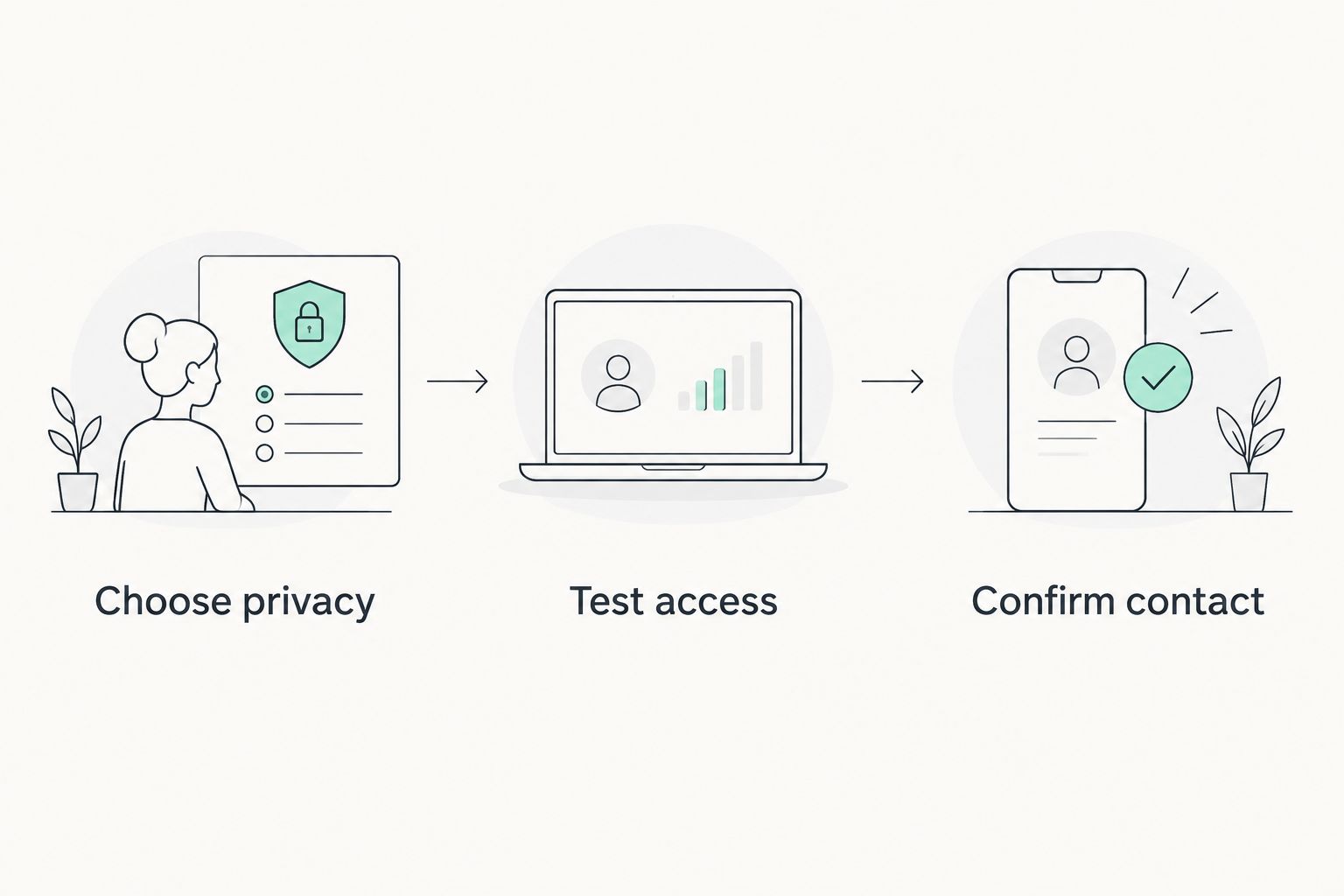
- Choose privacy. Close the door, check who can hear through it, and arrange for household members not to interrupt. Headphones protect the therapist's audio from others; they do not stop others from hearing your voice.
- Test access. Open the invitation using the device you intend to use. Follow the provided instructions for the application or browser, and allow camera and microphone access when requested.
- Confirm contact. Give the clinician your current physical location and the callback number requested for the session. Agree on the approved backup procedure before discussing difficult material.
- Silence unrelated notifications and close applications you do not need. Position the camera so you can sit comfortably without holding the device throughout the appointment.
- Check that your voice is audible and that you can hear the clinician. Do not record the appointment unless you and the clinician have explicitly agreed and applicable requirements are satisfied.
Expected result: You can join, hear, and speak privately, and both people know how to reconnect if the session stops.
For a 2026 privacy check, include connected household devices. Move away from shared speakers, disable notification previews on the device you use, and avoid shared accounts where possible. Ask the clinician what information appears in appointment reminders if someone else can access your messages.
First-session handoff
Carry your treatment plan into video
- Begin by confirming your location, privacy, and backup contact arrangement. Tell the clinician if someone is nearby or if your situation changes during the appointment.
- Bring the same treatment priorities you would bring to the office. Identify 1 main concern for the appointment so setup problems do not consume the entire conversation.
- Explain anything the camera does not show that affects the session. Examples include pacing, feeling disconnected, struggling to stay present, or needing a pause.
- Ask how to handle worksheets, between-session exercises, or other materials already used in treatment. Use the clinician's approved sharing method rather than sending sensitive material through an unapproved channel.
- Before ending, review whether you could speak freely, stay engaged, and work on the intended goal. Confirm the next appointment's format rather than assuming every future visit has changed.
Expected result: The appointment continues your treatment rather than becoming only a technology test.
Keep the goal; adjust the setup. If you found the camera distracting, tell the clinician instead of silently withdrawing from the conversation. A useful review describes what happened: you lost your train of thought, avoided a topic because someone was nearby, or struggled to hear.
Follow-up and format review
Choose the next arrangement
Use the first virtual appointment as a practical checkpoint, not a promise to remain online indefinitely. Compare how well each format supports participation and discuss the trade-offs with your clinician.
| Format | Best for | Main advantage | Main limitation |
|---|---|---|---|
| Virtual sessions | People with a private setting who want to avoid travel | Removes the trip to the office | Requires privacy, working equipment, and an appropriate location |
| In-person sessions | People who need a separate setting for confidential conversation | Provides physical separation from home interruptions | Requires travel and attendance at the office |
| Alternating formats, if offered | People whose privacy or scheduling needs change | Lets the format respond to circumstances | Requires explicit scheduling and clinical agreement |
- Describe whether the format helped or interfered with your treatment goal. Be specific about privacy, attention, emotional engagement, and connection quality.
- Ask whether to continue virtually, return in person, or discuss alternating formats if the practice offers that arrangement.
- Confirm the next appointment and update any access instructions you need.
Expected result: Your next session uses a deliberately chosen format, not a default created by the previous booking.
For your 2026 follow-up, judge virtual therapy by whether you can participate in treatment—not by whether the video looks polished. A clear picture cannot compensate for being unable to speak freely.
Change one appointment instead of the whole schedule
A temporary switch is a separate workflow from moving all appointments online. Use it when a specific scheduling issue arises, and ask before changing plans.
- Contact the practice through its designated scheduling channel and identify the appointment you want to change.
- State where you will physically attend and whether you have a private space.
- Ask whether that appointment can take place virtually with the same clinician.
- Wait for confirmation and access instructions. If the change is not confirmed, follow the practice's instructions for the existing booking.
- Before the session ends, confirm whether the following appointment remains in person.
Do not treat a temporary switch as automatic permission to attend from anywhere. If travel causes the change, location authorization remains part of the decision. For couples or family sessions, disclose each participant's location and ask the clinician how separate connections should be handled.
Troubleshooting
The invitation does not open
Check the appointment date and use the invitation associated with that session. Follow the practice's instructions for supported access, then contact its designated support or scheduling channel if the problem remains. Avoid sending sensitive clinical details in a technical help message.
The camera works, but audio does not
Check microphone permissions and the selected audio device. Disconnect unused headphones or speakers, then reconnect using the practice's instructions. If another application is using the microphone, close it and try again.
Someone can overhear the session
Tell the clinician that privacy has changed and pause sensitive discussion. Move only if you can do so safely and regain genuine privacy; otherwise, discuss rescheduling or another arrangement. A quiet voice is not a confidentiality plan.
Video disconnects during a difficult conversation
Follow the backup plan you agreed on at the start. Do not assume the clinician will switch to an ordinary phone call unless that is the agreed procedure. If you cannot reconnect, use the designated contact channel rather than waiting without a plan.
You are away from your usual state
Notify the clinician before the appointment and provide your actual location. Ask whether the session can legally and clinically proceed there. Do not conceal travel to preserve a booking; the appropriate response can include rescheduling or arranging other support.
Customize your workflow
For children and teens, ask the clinician how caregiver participation, consent, and private conversation will work. Do not assume a parent should remain on camera throughout—or leave without discussion. The arrangement should match the child's needs and applicable confidentiality requirements.
For couples and families, agree on who attends, where each person sits, and what happens if someone leaves or disconnects. Tell the clinician about privacy or safety concerns before attempting a shared session. Do not use a joint video appointment to force a confrontation.
Counselingcharlotte provides virtual mental health counseling alongside in-person services. For your 2026 planning, ask how the practice would handle your specific treatment needs, household circumstances, and location before selecting the format.
FAQ
How do I switch from in-person to virtual therapy with my current therapist?
Ask your therapist to confirm clinical fit and change the appointment format, then complete telehealth consent and follow the access instructions. Verify privacy, your physical location, and the backup contact plan before the session.
Can I keep the same therapist when I switch to virtual sessions?
Keeping the same therapist requires confirmation from the practice. Ask whether your clinician provides virtual care appropriate to your needs and location before changing the existing appointment.
Can I attend virtual therapy while visiting another state?
Your clinician must confirm whether they are authorized to provide care where you are physically located. Tell the practice about travel before the appointment; an existing treatment relationship does not remove location requirements.
Is virtual therapy better than in-person therapy?
Neither format is automatically better for every person. Choose with your clinician based on treatment needs, privacy, safety, and your ability to participate; virtual sessions remove travel but add technology and household-privacy responsibilities.
What should I do if I cannot find a private room for therapy?
Tell your clinician before the appointment and discuss a different setting, time, or in-person session. Headphones do not prevent other people from hearing your side of the conversation.
Will insurance cover therapy after I switch to video?
Coverage depends on your plan, clinician, and telehealth service. Verify the arrangement with your insurer rather than assuming the rules for office visits remain unchanged.
What if I need urgent help between virtual therapy sessions?
Use your clinician's agreed crisis plan rather than waiting for a routine appointment or portal response. In the United States, call or text 988 for crisis support; call 911 for immediate danger or a medical emergency.
One last thing
The most useful setup test is whether you can say something difficult without lowering your voice. Test that before the appointment. If someone can hear through the door, fix the privacy problem or discuss a different arrangement; changing the video settings will not solve it.